Notch app · macOS 14+
Hover the camera housing and sixteen tools grow out of it.
Now playing with scrub-to-seek, a shelf you drag files onto, clipboard history with real colour swatches, per-core CPU, weather, eight synthesised ambient rooms, a Pomodoro that auto-advances. One hover, or ⌥⌘E from anywhere.
Closed, the card is exactly the size of the housing. It covers nothing you could have clicked.
Tools
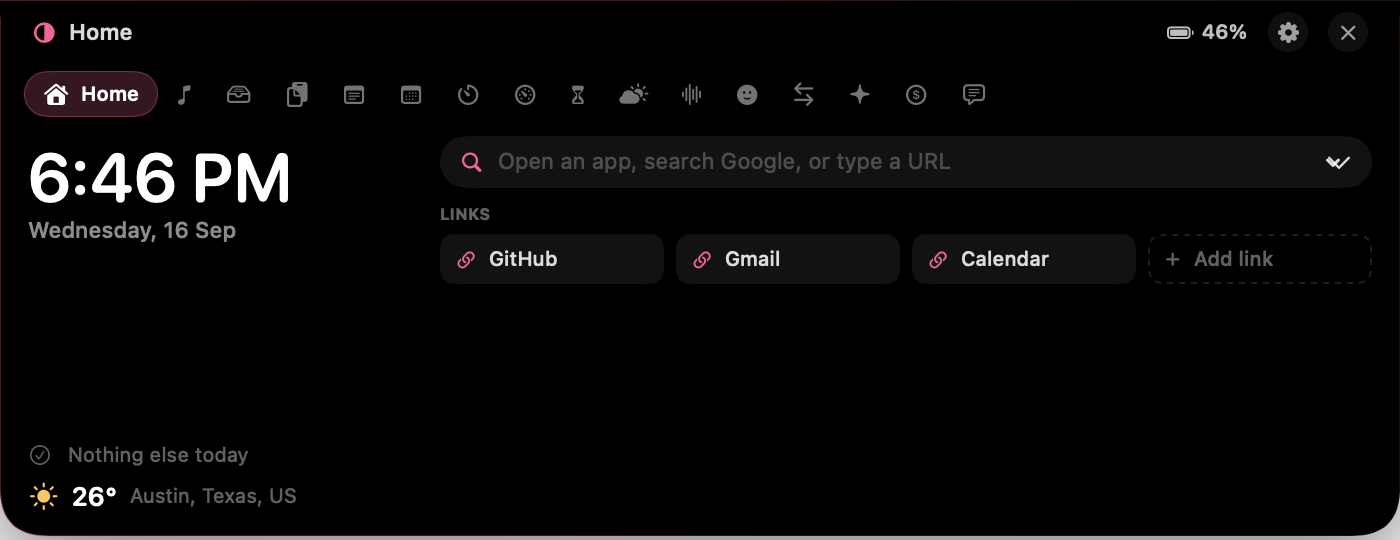
Sixteen tabs. Switch one off and it leaves the strip.
Open, the card is 700 points wide with one tab per tool. Nothing here is a web view.
Home
Clock, next event with a Join button, weather, and a launcher that fuzzy-matches apps, saved links, bare URLs and five search engines.
Now playing
Artwork, scrub-to-seek, transport and volume for Music and Spotify, with the notch tinted to the cover.
Shelf
Files dropped on the notch are copied in, so the originals can move before you drag them back out or AirDrop the lot.
Clipboard
Searchable history with colour swatches, pinning and source app, and nothing your password manager touched.
Notes
A pinned scratchpad and a notes list, saved as you type.
Calendar
Two days of events with the Zoom, Meet, Teams or Webex link pulled out of the invite.
Timers
Countdown presets, auto-advancing Pomodoro, lap stopwatch and hydration nudges, with the running one peeking beside the notch.
Stats
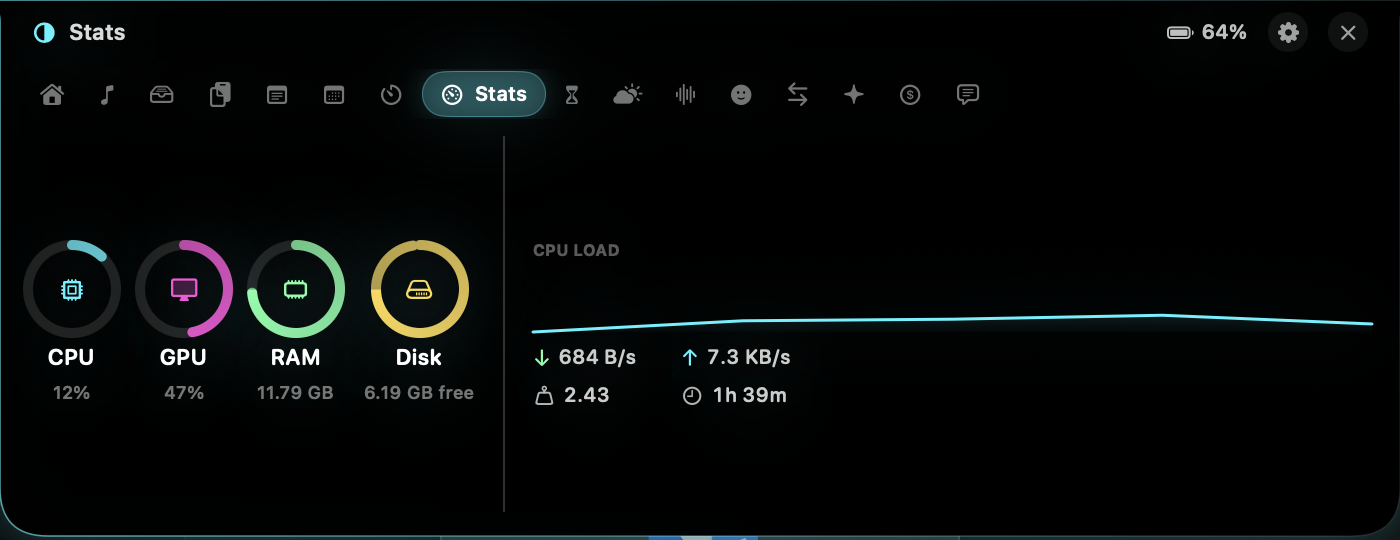
Per-core CPU, GPU, memory, disk, network throughput, load and uptime, sampled only while the card is open.
Screen Time
Foreground time per app per day with a 7-day chart, kept local and paused after two idle minutes.
Weather
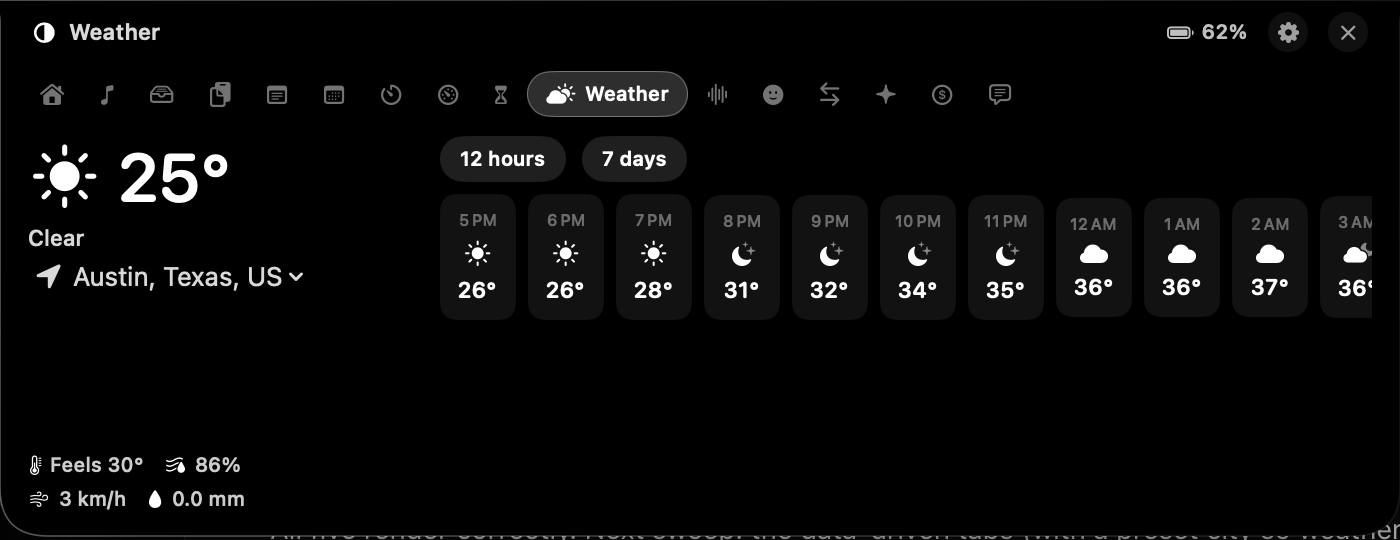
Open-Meteo without a key: current, feels-like, humidity, wind, precipitation, 12-hour and 7-day.
Sounds
Eight rooms, from rain to brown noise, synthesised live in the render callback with no audio files to loop.
Emoji
Categorised picker with search and recents, click to copy.
Units
Length, mass, temperature, speed, volume, area, data and time, through Foundation's Measurement types.
Claude
Your local Claude Code transcripts read incrementally by byte offset: tokens today, tool calls, per-project totals, streak, 12-week heatmap.
Revenue
Stripe, Polar and Dodo read through read-only keys in your login keychain, with 14-day bars and a banner on each sale.
Message
A dot-matrix ticker across the closed notch, rasterised through a real typeface so any script or emoji works.
Live activities
Volume, brightness, power, low battery, track changes and new sales, drawn as a pill around the housing.
Pinned metric
One number parked beside the notch while the card is closed: clock, battery, CPU, today's revenue, or the ticker.
Appearance
Four themes, and one of them is the album cover.
Adaptive pulls its colours out of the current artwork. Minimal is black and white and stays out of your eyeline. Playful gives every tool its own hue. Neon is cyan and magenta with glow.


Honest
Seven things it does not pretend to do.
- The visualiser is synthesised, not an FFT. macOS will not hand one app another app's audio without a Core Audio process tap and a capture prompt. The bars run off real playback state, so they start and stop with the track, but they are not the spectrum.
- Now playing means Music and Spotify. macOS 15.4 put MediaRemote behind a private entitlement. Eclipse still tries it first, because it costs nothing when it fails, then falls back to Apple Events and the two players that publish their state properly.
- With media playing, the card grows 40 points on each side so artwork and the bars clear the housing. That strip belongs to Eclipse, so a click there opens the card instead of reaching the menu bar. With nothing playing it shrinks back to exactly the notch.
- Windows are sized, not masked. The panel is notch-sized while closed and grows its frame before the open animation starts, so Eclipse is never a large invisible click-eater parked over your menu bar.
- It never asks for Accessibility. The global shortcut goes through Carbon's RegisterEventHotKey, volume comes from Core Audio property listeners, screen time reads the frontmost-app notification. First launch has zero prompts, and each permission appears the first time you open the tool that needs it.
- Revenue keys are read-only by construction. Every request Eclipse makes is a GET. Paste a restricted key and the app cannot issue a refund or move money even if it wanted to.
- GPU load is reported or absent, never faked. It comes out of IOAccelerator's PerformanceStatistics, and on hardware that omits the key it reads unavailable.
Pricing
Six dollars, once.
Eclipse
$5.99once
- All sixteen tools, all four themes
- Lifetime updates
- Use it on every Mac you own
- No account, no subscription, no telemetry
- 14-day refund, no questions
Checkout by Dodo Payments. Download and key land the moment it clears.
Everything
$29once
- Eclipse, Halo and VolTally
- Plus every app I release in the next 12 months
- One key, 3 Macs
- $44.99 bought one at a time
Halo is built on Eclipse's core, and Halo's hidden items can show up as a tab in this card.
Questions
The parts people ask about first.
Does it work on a Mac without a notch?
Yes. Eclipse draws a synthetic housing at the top of the screen and everything behaves the same.
Does it block the menu bar?
No. Closed, the window is exactly the size of the camera housing, which is dead space you could not click anyway. The panel grows its frame before opening rather than hiding behind a mask, so there is no invisible layer over your menu bar.
What data leaves my Mac?
Weather to Open-Meteo, and revenue to whichever provider you connected. That is the complete list: clipboard, notes, screen time, shelf files and Claude usage never leave the machine.
Which macOS?
macOS 14 Sonoma or later, Apple silicon or Intel.
Can I turn tools off?
Every tool has a switch, and a disabled tool disappears from the tab strip.
How do I open it?
Hover the notch or press ⌥⌘E from anywhere, and you can trade hover for click or tune the hover delay in Settings. Dragging files onto the notch shelves them, and the menu bar icon holds tabs, settings and quit.